Skip to content
Accessories
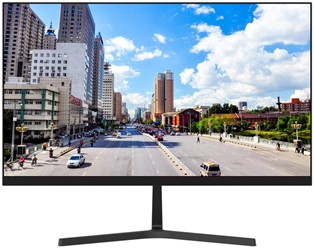
Dahua LM27-B201S 27-inch Full HD monitor with HDMI and VGA inputs and wide viewing angles. Confirm the supplied version, display connection and mounting requirements.
Product datasheet · Opens in a new tab
The Dahua LM27-B201S monitor provides a 27-inch Full HD screen for compatible recorders, computers and other video sources. HDMI and VGA inputs give you a choice of connections. Its narrow bezel helps create a simple, organised viewing area for the selected source.
First, identify the output available on the recorder or computer. Choose a supported HDMI or VGA connection and set a suitable output resolution. A Full HD panel does not show a 4K source at native 4K detail, even if the source offers that output.
Next, consider how many images you want on screen at once. A multiview layout divides the screen between cameras, while a single view gives one image more space. Also, check menu text and image detail from the normal viewing position.
The LM27-B201S monitor needs a suitable surface or mounting arrangement. Plan the viewing distance, cable route and access to the controls. If you want to use a bracket, confirm the supplied model’s mounting pattern, supported load and bracket compatibility before ordering.
Then, test the screen with the intended video source and connection cable. Check that the chosen output mode works correctly and adjust the image to the room lighting. Also, leave adequate space around the unit according to its installation guidance.
Finally, confirm the monitor version and package contents with our team. Keep the display reference and the source settings with your equipment records. This makes it easier to identify suitable cables or replacement parts when you need support later.
Confirm the exact model, supplied version and package contents before ordering. Also, send our team the existing equipment reference if you are replacing a device. This helps us check the details for a suitable match.
Explore our display and installation accessories for related products. Alternatively, contact Ghannam Security Systems to discuss your installation requirements and available options.
Talk to our team for product information and guidance.
 Optimized by Seraphinite Accelerator